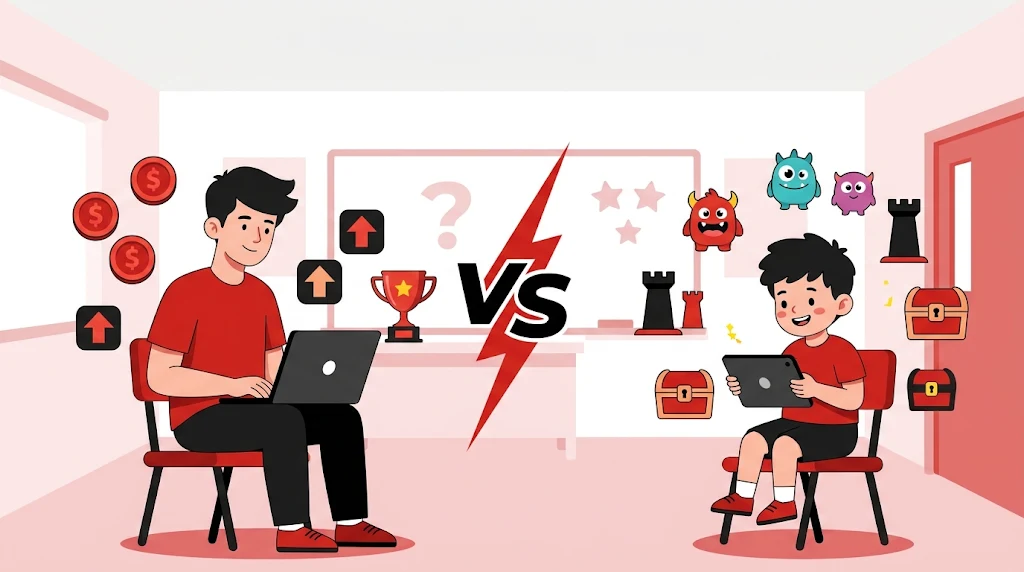
Gimkit vs Blooket is one of the most common questions from teachers who want quiz games that students actually enjoy. Both turn a normal question set into a game, both run in a web browser, and both are loved in classrooms. But they play very differently, and their free plans are not the same. This guide compares game modes, free plans, pricing, best age group and setup, so you can choose the right one in a few minutes.
2 Quiz Games
Compared side by side
Both Have Free Plans
Blooket’s is bigger
Blooket: Younger
Gimkit: older
Browser Based
No download needed
Join With A Code
Easy for students
Table Of Contents
1. What Is Gimkit?
Gimkit is a live quiz game where students answer questions to earn virtual money. They spend that money on upgrades and power-ups, so the game rewards both knowledge and strategy. Teachers build a “kit” of questions, start a game and students join with a code on their own device.
Gimkit is known for typed answers in some modes, team play and KitCollab, a feature that lets students suggest questions for the class kit. It also has creative modes where older students can build and play in their own maps. The free Basic plan includes a few featured modes that rotate, and Gimkit Pro unlocks the rest.
2. What Is Blooket?
Blooket is a game-based learning platform where a question set can be played as many different games, such as tower defense, gold-collecting and cafe-style games. Students pick a collectible character called a “Blook” and answer questions to move ahead, win points or steal prizes. The mix of luck and knowledge keeps every round different.
Blooket has a free plan that lets teachers create question sets and host live games with many modes. Paid Blooket Plus plans add things like higher player limits and extra hosting tools.
3. Gimkit Vs Blooket: Side-By-Side Comparison
| Feature | Gimkit | Blooket |
|---|---|---|
| Main idea | Earn money, buy upgrades, play strategy | Many different game styles for the same questions |
| Best age group | Older students (middle and high school) | Younger and mixed classes |
| Free plan | Limited; a few rotating free modes | Generous; many modes, a large player limit |
| Game variety | Fewer modes, deeper strategy | Many modes, more surprise |
| Student questions | KitCollab lets students suggest questions | Teachers build or reuse sets; students can make sets with accounts |
| Typed answers | Yes, in some modes | Mostly multiple choice |
| Homework mode | Yes (check plan details) | Yes |
| Reports | Yes | Basic on free, more on paid |
| Devices | Any browser | Any browser |
| Typical paid cost | About $60 a year for Pro | Around $5 a month billed annually for Plus |
4. Game Modes And How They Feel
Gimkit: One Economy, Many Twists
Most Gimkit games follow the same idea: answer correctly to earn money, then spend it on upgrades that earn you more. Gimkit changes the setting around that idea, with team games, hidden-role games and survival-style games. It feels like a strategy game with questions inside it. That depth is why older students tend to like it, and why a long session can feel more like real play than a quiz.
Blooket: A Different Game Every Round
Blooket takes the opposite approach. The same question set can be a tower defense game one day and a gold-stealing race the next. Luck plays a part, so a student who is behind can still win, which keeps the whole class engaged. Many modes are short and loud, perfect for a 10 to 15 minute review.
5. Free Plans And Pricing
| Plan | Gimkit | Blooket |
|---|---|---|
| Free | Basic: a few featured modes that rotate, plus rostering and reports | Starter: most game modes, unlimited question sets and a good player limit |
| Paid | Gimkit Pro, about $60 a year or a higher monthly price | Blooket Plus, around $5 a month billed annually, or a flexible monthly plan |
| Schools | Department and school plans | Group and school bundles |
The big difference is how much you get without paying. Most teachers can run Blooket for a whole year on the free plan. With Gimkit, the free plan works as a taste of the platform, and the full experience needs Pro.
6. Best Age Group And Subject
| Class Type | Better Pick | Why |
|---|---|---|
| Primary school | Blooket | Simple, colorful, easy to join |
| Middle school | Either | Both work; try one game of each |
| High school | Gimkit | Strategy and typed answers keep older students interested |
| Vocabulary and spelling | Gimkit | Typed recall helps spelling |
| Quick review and facts | Blooket | Fast games with lots of variety |
| Zero budget | Blooket | Strongest free plan |
7. Pros And Cons
Gimkit
- ✅ Deep strategy that older students enjoy
- ✅ Typed answers in some modes
- ✅ KitCollab lets students suggest questions
- ❌ The free plan is limited
- ❌ Needs a paid plan for the full experience
Blooket
- ✅ Strong free plan with many game modes
- ✅ Huge variety, so games rarely feel the same
- ✅ Easy for younger students
- ❌ Mostly multiple-choice questions
- ❌ Luck can matter more than knowledge in some modes
8. Which One Should You Choose?
- Choose Blooket if you want a free tool that works from day one, you teach younger students or you like a different game every lesson.
- Choose Gimkit if you teach older students, want typed answers and student-made questions, and your school can pay for Pro.
- Use both if you want variety. Blooket works well for quick reviews, and Gimkit works well for longer sessions.
9. How To Join A Game
Join A Gimkit Game
- Open gimkit.com/join in a browser.
- Type the game code your teacher gives you.
- Enter your name and wait for the game to start.
Teachers who want the full steps for logging in, hosting and starting a game can read this Gimkit join, login and host guide.
Join A Blooket Game
- Open blooket.com/play in a browser.
- Type the game ID shown on the teacher’s screen.
- Pick a nickname and choose a Blook.
For more detail on Blooket codes, accounts and hosting, see this Blooket join, login and play guide.
10. Tips For Using Quiz Games In Class
- Keep games short. 10 to 15 minutes is enough for review. Longer games lose focus.
- Write good questions. Make them clear, with one correct answer and believable wrong options.
- Use games for review, not first teaching. Students should already have seen the topic.
- Check the reports. See which questions many students missed and re-teach them.
- Mix it up. Alternate games with discussion and written work so play does not replace learning.
- Be fair about devices. Make sure every student has a phone, tablet or laptop, or let them play in pairs.
More learning tools are in our guide to the best free AI tools for students in Pakistan, and you can browse the Education and Games categories for more.
Frequently Asked Questions
1. Is Gimkit better than Blooket?
Neither is better for every class. Blooket is usually the better pick for younger or mixed classes and for teachers who want a generous free plan and many game modes. Gimkit is usually the better pick for older students who enjoy strategy and for teachers who are happy to pay for Gimkit Pro.
2. Is Blooket free?
Yes. Blooket has a free plan that lets you make question sets and host live games with a good number of players and game modes. Paid Blooket Plus plans add features such as higher player limits and extra tools.
3. Is Gimkit free?
Gimkit has a free Basic plan, but it is more limited. It includes a small set of free game modes that rotate, plus basics such as rostering and reports. Gimkit Pro unlocks all modes and more creation tools.
4. Which is better for young students, Gimkit or Blooket?
Blooket is usually the easier fit for younger students because the game modes are simple, colorful and varied. Gimkit’s money and upgrade system rewards strategy, so it often suits older students better.
5. How do students join a Gimkit or Blooket game?
For Gimkit, go to gimkit.com/join and type the game code from the teacher. For Blooket, go to blooket.com/play, enter the game ID and choose a nickname. Students do not need an account in most live games.
6. Can students make their own questions?
Gimkit has a feature called KitCollab that lets students suggest questions for a teacher’s kit. Blooket lets teachers build sets, import them and reuse sets made by others, and students can make sets if they have accounts.
7. Do Gimkit and Blooket work on phones and Chromebooks?
Yes. Both run in a web browser, so students can play on phones, tablets, laptops and Chromebooks without installing anything.
8. Can I assign Gimkit or Blooket as homework?
Yes. Both platforms let teachers assign games for students to play on their own time. Check each platform’s current plan details to see which homework features are included on the free plan.
9. Which is cheaper, Gimkit or Blooket?
Blooket has the more useful free plan, so many teachers never pay. Paid plans for both are in a similar range per year for individual teachers, and prices change often, so check each official pricing page before you buy.
10. Are Gimkit and Blooket hacks safe to use?
No. Cheat scripts and hack sites can steal accounts, show malware and break the learning point of the game. They also break each platform’s rules and can get a student banned. Play fairly and use only the official sites.
11. Can I use both Gimkit and Blooket in the same class?
Yes. Many teachers use both. Use Blooket for quick review and variety, and use Gimkit for longer strategy-style sessions with older students.
Conclusion
In the Gimkit vs Blooket debate, Blooket wins on free access, variety and ease for younger students, while Gimkit wins on strategy depth and typed answers for older students. The quickest way to decide is to run one short game of each with the same questions and see which your class enjoys more. Whichever you choose, keep games short, use the reports to find weak topics and remember that the games are there to support learning, not replace it. Want students to make their own games next? Start with these easy Scratch Games for beginners.
MORE FUN ON FUN UPLOADS
Explore more guides, tools Funny SMS Messages, and Free Online Calculators sections of the Fun Uploads.
About the Author